


BuildYourCNC
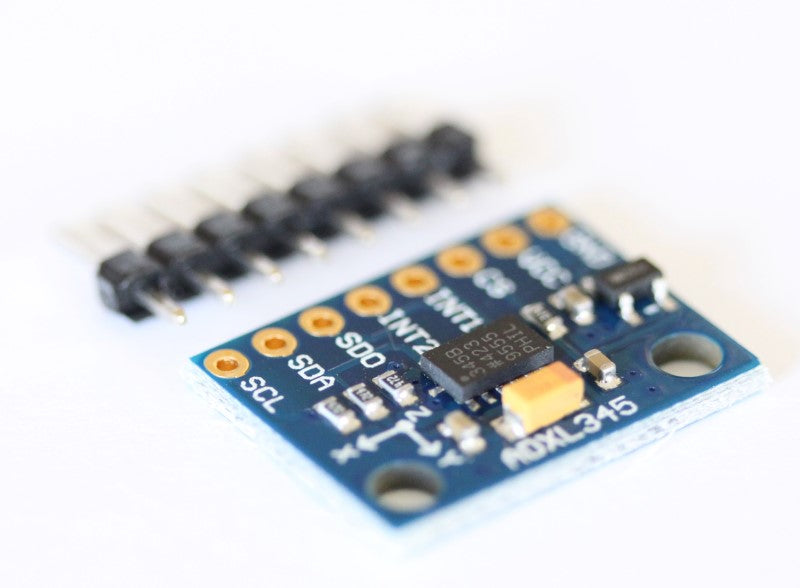
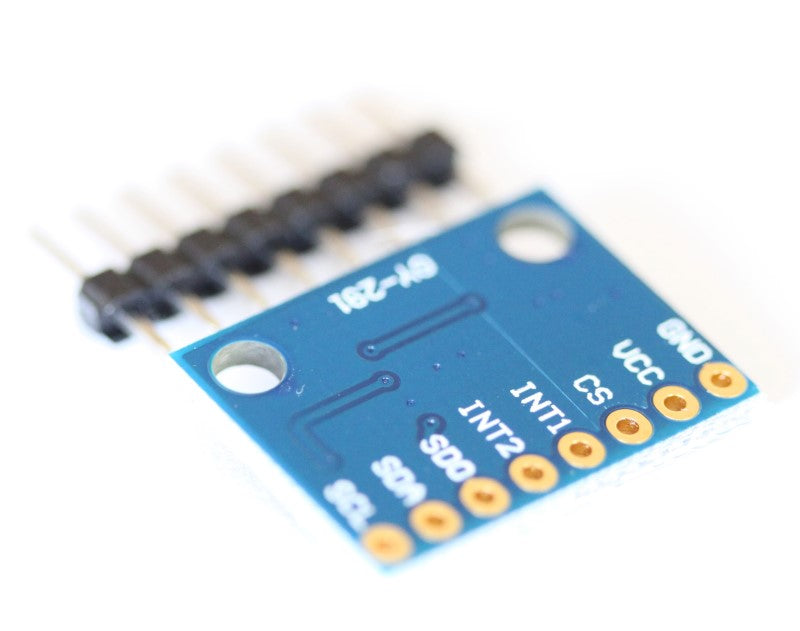
Beschleunigungssensor ADXL 345 Breakout Board mit I2C- und SPI-Schnittstelle
Beschleunigungssensor ADXL 345 Breakout Board mit I2C- und SPI-Schnittstelle
Verfügbarkeit für Abholungen konnte nicht geladen werden
- SPI- oder I2C-Kommunikation.
- Nur für 3,3-V-Stromversorgung ausgelegt.
- Speicherverwaltungssystem mit einem 32-stufigen FIFO-Puffer zur Datenspeicherung bei minimierter Host-Prozessor-Aktivität.
- Extrem geringer Stromverbrauch: 40 µA im Messmodus und 0,1 µA im Standby-Modus.
- Hohe Auflösung ermöglicht die Messung von Neigungsänderungen unter 1,0°.
- Sofort einsatzbereite Beispiele sparen Entwicklungszeit.
Teilen
Questions & Answers
Have a Question?
-
will any of your software work with Windows 10
Yes, all of the software we sell on this website will work on windows 10. Additional Information: I have a usb controller with JP-3163B 3.9 V is it able to work with mach 4 and windows 10
-
What is the difference between 18/8 and 18/10 stainless steel?
304 contains 18% chromium and 8% nickel. 316 contains 16% chromium, 10% nickel and 2% molybdenum. The "moly" is added to help resist corrosion to chlorides (like sea water and de-icing salts)
-
DOES ANY OF THE SOFTWARE THAT COMES WITH IT COMPATIBLE MAC 10.6?
There are several CAD/CAM programs out there for MacOS. Here is a list of a few: http://www.macuser.de/forum/f53/3d-2d-cad-395058/#post4499316 I've also read good things about punchCAD: http://www.punchcad.com/ Of course, there is always SketchUp if you are in a pinch. There are a few CAM plugins for SketchUp as well, but I've never used them, so I can't vouch for them. CAD/CAM will get you as far as designing your parts and producing the g-code, but if you also want to run the CNC machine with your Mac, you will need a piece of software similar to Mach3 or EMC to run the g-code. I haven't been able to find anything like these programs that runs on Mac, so you may have to run Mach3 or EMC in Windows using Boot Camp or a virtual machine such as VMware or Parallels. Personally, I would use the Mac to do all the CAD/CAM, then use a cheap PC to run the CNC machine. Additional Information: Additional Information: EasyDNC for OSX www.dnc-x.com Additional Information: Additional Information: Hi guys I�m new to the cnc and I�m beginning to learn how to operate and cad-cam software also my cnc runs on Mach3 my questions is if I should use MacBook to do all designs if I can have all this software to run on Mac or I have to use windows software to operate it? I have separate small computer connected to the cnc table who have Mach3 on it please help. Also if you know any other software much easy for beginners please let me know thank you guys! My email if needed is r1jastrzebski@gmail.com Additional Information: Additional Information: Hi , thank you for your advise! Additional Information: Hi , thank you for your advise! Additional Information: Hi , thank you for your advise! Additional Information: Hi , thank you for your advise! Additional Information: